








 |
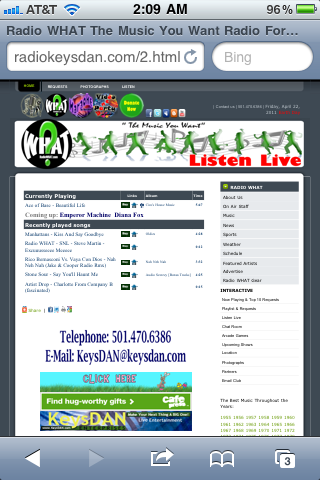
Do you have an iPhone? Or a web-enabled cell phone? If so, you can now Listen Live to Radio WHAT on-the-go with your phone, specifically for mobile phones. |
|---|---|
When Apple came with their latest "3G" iPhone, I finally bit the bullet and bought one. I love this phone. If I could marry a phone, it would be the iPhone. Favorite feature? The built-in GPS that shows you exactly where you are on a map, and gives you directions to where you want to go. I've also loved having the Internet so available. If I'm in a electronic store and can't remember the specific microphone needed for the studio, I can look it up on the phone. With this new Radio WHAT iPhone app, listening on the go just got a whole lot easier. |
 |
 |
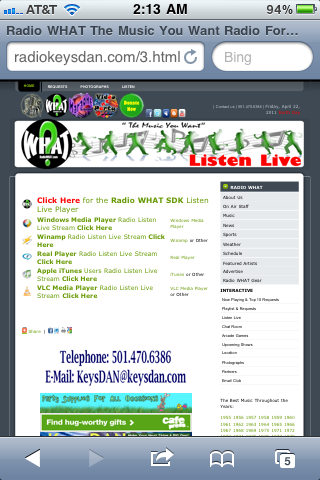
Want to take a peek? Point your iPhone (or other cel phone) internet browser to Listen Live. This is a non-flash version of the "listen live" page for iPhone users. Find the iTunes Stream and click on it to listen live. |
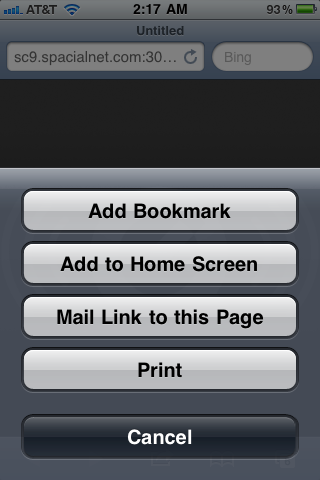
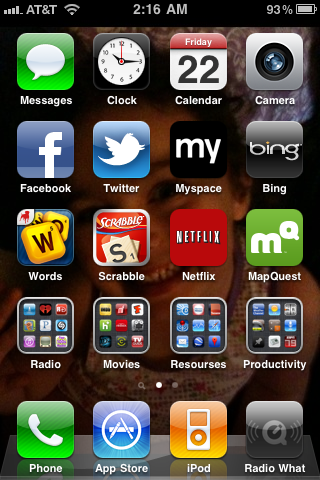
If you are using an iPhone, you can easily add a Radio WHAT to your iPhone home screen which will point to the iPhone web application. Just direct your iPhone Safari browser to http://RadioWHAT.com/3.html and click on the "+" sign at the bottom of the screen. Select "Add to Home Screen". |
 |
Don't have an iPhone but are using another type of cell phone with web access? I would love to get your feedback. We already know there are issues with IE Windows Mobile 6. Seems to be working okay on Blackberry. ALTERNATE SOLUTION: SHOUTcast Radio: (free) Install and go BACK to your iPhone SETTINGS and scroll to the SHOUTcast settings, and turn on the switch for 'Allow hi-bit streams.' Now go BACK to SHOUTcast radio, and the SERACH area. Search for RADIO WHAT You should get the stream listed. If you have a good connection, you should be able to listen to the 56k stream. **NOTE!** Occasionally it will have problems connecting if you haven't had any connection to the internet on your iPhone within the last 15 minutes. I've found the easiest solution to this is to just take a minute to open a new webpage or check email just prior to connecting w/ SHOUTcast Radio. |
|
Radio WHAT - The Music You Want - Interactive Radio
Listen Live! | On Air Staff |News | Health | Weather | Schedule | Featured Artists | WHAT Gear
Radio WHAT
Our Sponsers






Sponsors
http://www.conwayyellowcab.com/
http://djlittlerock.com/
http://www.keysdan.com/
http://mybusinessneedshelp.com/
http://www.radiokeysdan.com/
http://radioritmolafabulosa.com/
http://radiokeysdan.com/
http://www.radiowhat.com/
http://keysdan.com/DJLittleRock.com/
http://keysdan.com/HollandAR.org/
http://keysdan.com/RadioKeysDAN.com/
http://keysdan.com/RadioWHAT.com/
http://keysdan.com/MyRadioExito.com/
http://keysdan.com/RadioRitmoLaFabulosa.com
HOTTEST Music Station
HOME | Listen Live! | On Air Staff | Playlists and Requests | Now Playing and Top Ten Requests | PRIVACY | SITE MAP
Copyright © 1986-2014 KeysDAN Enterprises, Inc